Area, window, fullscreen
Pick exactly what you need, then let go.
One hotkey away, on any screen, in any mode.
Pick exactly what you need, then let go.
Capture from anywhere, even when LumenGrab runs in the background.
Sharp results on every display, whatever the scale.
Copy, save, edit or drag out right after capturing.
One picker for every kind of capture.
Float a capture above your windows while you work.
A focused editor with the tools you actually use.
Arrows, lines, rectangles and ellipses.
Label things and number the steps.
Draw attention the way you would on paper.
Dim everything except what matters.
Trim to the point. The original is never touched.
Blur, pixelate or solid. Pixels are destroyed in every flat export.
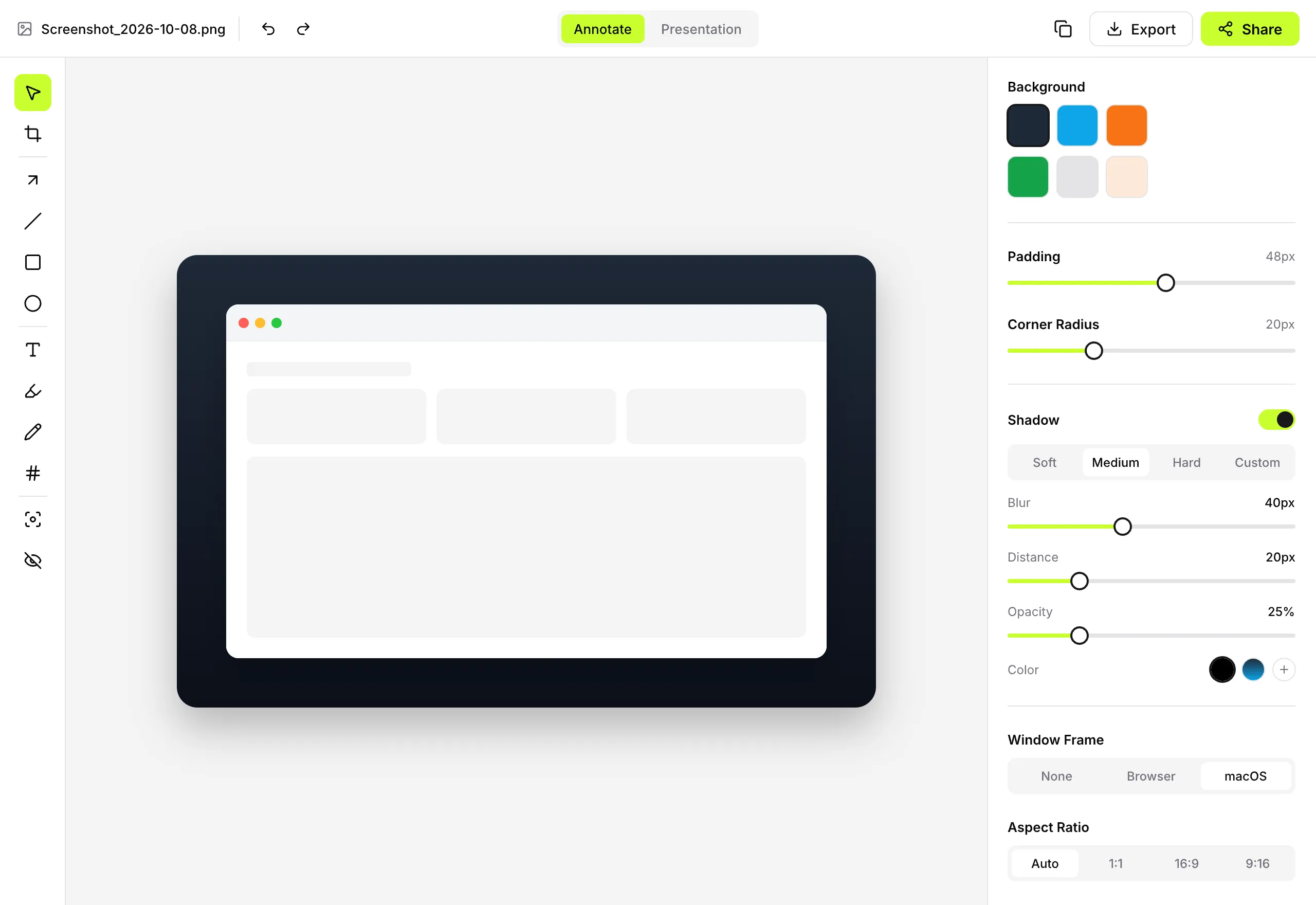
A presentation layer that turns plain screenshots into visuals.
Generated gradients, solid colors or your own image.
Give your screenshot room to breathe.
Soft, medium or hard, with blur, distance, opacity and color.
Wrap a capture in a clean window frame.
Auto, 1:1, 16:9 or 9:16 in one click.
Keep a look and reuse it on every capture.
Your captures stay yours, in formats that travel.
Flat export is the default for sharing.
One file with the original inside. Reopen and keep editing.
Recognition runs on your device.
Every capture, searchable and stored locally.
Drop it straight into any app.
Follows your system, with real keyboard shortcuts.
What we're building now, and what comes after.
MP4 or GIF with mic, system audio, click and key overlays.
Capture a whole page or long chat in one go.
Zoom into the moment in your recordings.
Place captures into device frames.
Find emails, IBANs and API keys on your device.
Your S3, WebDAV or own drive, set up by you.
Capture. Annotate. Share. Free forever, private by design.
Coming soon for macOS and Windows.